
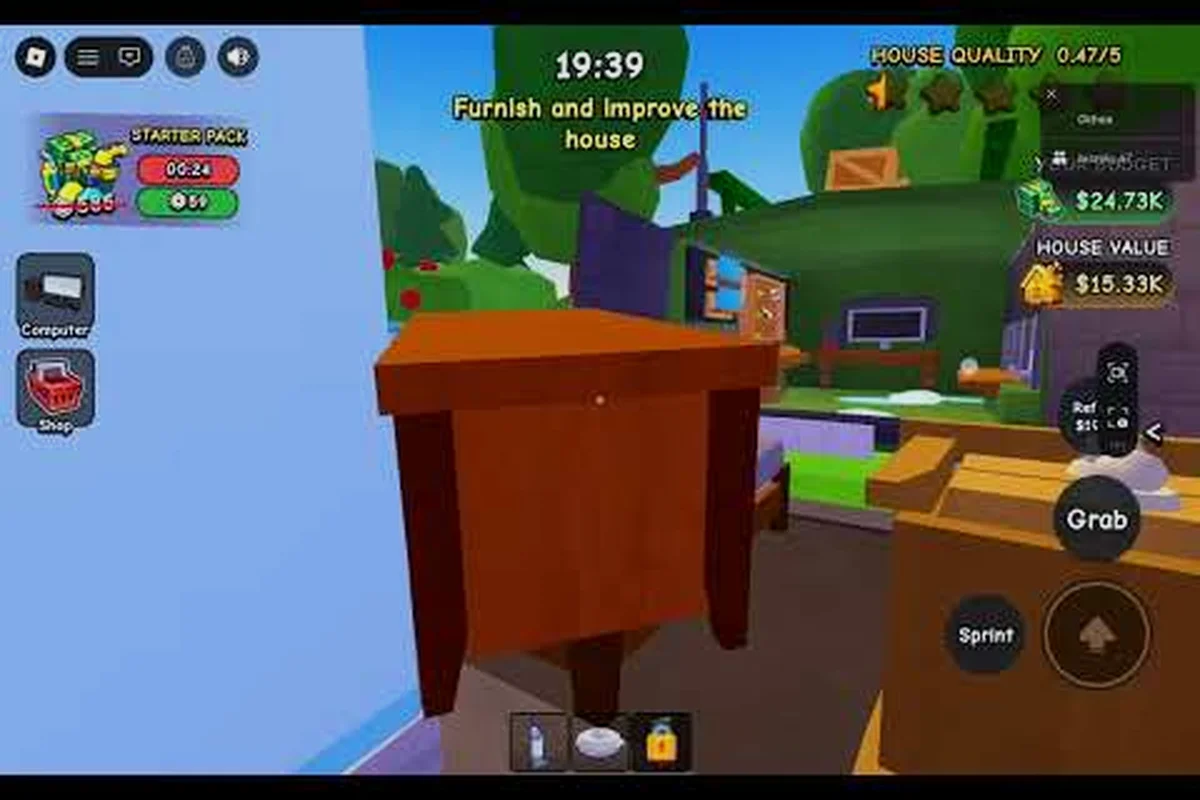
Cleaning a house in Flip a House feels straightforward until you hit 99% and cannot find the last speck of grime. The flip a house dirt meter is your only reliable signal, yet most players misread it because they treat every room the same way. Understanding how the meter responds to different surfaces, tools, and room layouts is what separates a fast flip from a frustrating one, and this guide breaks down exactly how to push every room to a clean 100%. For a room-by-room walkthrough that applies this same meter-first mindset from entryway to attic, see our flip a house cleaning guide for the full sweep.
How the Flip a House Dirt Meter Actually Works
The flip a house dirt meter does not measure a single global value. It aggregates dirt, stains, and trash across the entire property, which means a spotless kitchen can still show 87% if the bathroom hides grime behind the toilet or under the sink. Players often assume the meter updates in real time, but community testing shows it refreshes in small increments after each tool pass, so rapid scrubbing can look like no progress at all.
The meter splits into three visual layers that most beginners never notice. Surface dirt sits on top of floors and walls and responds to the vacuum or broom. Embedded stains require the scrubber or scrub sponge, and they do not disappear from the meter until you hold the tool over them for the full animation cycle. Trash objects are a separate category that only clears when you pick them up and drop them in a bin, not when you vacuum over them.
| Meter Signal | What It Tracks | Tool Required | Common Misread |
|---|---|---|---|
| Light gray haze | Surface dirt on floors and walls | Vacuum or broom | Players vacuum twice, then wonder why the meter stuck |
| Dark splotches | Embedded stains and spills | Scrubber or scrub sponge | Players tap the stain instead of holding the tool |
| Floating icons | Trash and debris objects | Manual pickup, then bin | Players vacuum over trash and expect it to clear |
The biggest mistake is treating the meter as a room-by-room progress bar. Because it aggregates the whole house, a single overlooked stain in the bedroom can hold your overall percentage at 94% while you waste time re-cleaning an already spotless living room. The fix is to stop watching the number and start working a fixed room order, which is why the next section covers a repeatable cleaning checklist.
The Room-by-Room Cleaning Checklist That Prevents Re-Cleaning
A flip a house room by room cleaning routine works because it forces you to finish one space completely before moving to the next. When you bounce between rooms, you lose track of which stains you already attempted, and the dirt meter gives you no per-room breakdown to correct that. The checklist below orders rooms by how likely they are to hide grime, starting with the spaces that most often cause the final 5% stall.
| Order | Room | Priority Targets | Why This Order |
|---|---|---|---|
| 1 | Bathroom | Toilet base, sink edges, shower corners | Smallest room with the densest stain clusters |
| 2 | Kitchen | Countertops, stove top, floor corners | Grease stains need the longest scrub time |
| 3 | Bedroom | Under bed, closet floor, wall scuffs | Hidden floor space hides surface dirt |
| 4 | Living room | Rug edges, sofa area, window sills | Largest floor area, easiest to miss edges |
The bathroom comes first because it is the only room where three stain types overlap in a tiny footprint. When you clean the bathroom in Flip a House, you are not just vacuuming a floor; you are clearing toilet base stains, sink splash marks, and shower corner mildew that each require a different tool angle. Skipping the bathroom until last means you will likely re-enter it after the meter stalls, which doubles your cleaning time.
Bathroom Wet-Room Priorities
Start with trash pickup because bins and empty bottles block your vacuum path. Then vacuum the open floor in straight lines, making sure you overlap each pass by about half a tool width. Only after the floor is clear should you switch to the scrubber for the toilet base and sink edges, because the scrubber animation is slower and you do not want to waste it on surface dirt. The shower corners are the most common 99% culprit, so hold the scrubber there for a full two seconds even if the stain looks faint.
Kitchen Grease and Appliance Work
The kitchen punishes rushed players more than any other room. Grease stains on the stove top look identical to surface dirt at a glance, but they only respond to the scrub sponge, not the vacuum. Countertops also collect crumb clusters that the meter counts as trash, so you need to pick them up manually before vacuuming. Work the floor last because scrubbing the counters often knocks new debris onto it.
Bathroom Cleaning: The Room That Decides Your Percentage
Flip a house bathroom cleaning is the single highest-leverage skill in the game because the bathroom is small enough to finish quickly but dense enough to hide multiple stain layers. A bathroom that looks clean at a glance can still hold four or five separate dirt objects, and each one costs you a full percentage point on the aggregate meter. The key is learning which bathroom surfaces the meter actually tracks.
| Bathroom Surface | Stain Type | Best Tool | Time to Clear |
|---|---|---|---|
| Toilet base | Embedded stain | Scrubber | 2-3 seconds hold |
| Sink edges | Surface dirt plus splash stain | Vacuum, then scrub sponge | 4-5 seconds total |
| Shower corners | Mildew cluster | Scrubber | 3-4 seconds hold |
| Floor tiles | Surface dirt | Vacuum | 1-2 passes |
| Trash can area | Debris objects | Manual pickup | Instant after bin |
The toilet base is where most players lose time because they tap the scrubber instead of holding it. The dirt meter only registers a stain as cleared after the full scrub animation completes, so a quick tap does nothing even though the visual looks slightly cleaner. Community reports consistently point to the toilet base and shower corners as the two surfaces that hold players at 98% or 99% the longest.
Kitchen Cleaning: Grease, Crumbs, and the Stove Trap
Flip a house kitchen cleaning demands a different rhythm than bathroom work because the kitchen mixes all three dirt types across a larger area. The stove top is the trap: it accumulates grease stains that look like surface dirt, and players vacuum over them three times before realizing the meter has not moved. Switching to the scrub sponge immediately after vacuuming the counters saves a full minute per kitchen.
The floor corners in the kitchen are another silent percentage killer. Because the kitchen floor is usually a lighter tile color, surface dirt in the corners blends into the grout lines, and the dirt meter gives no visual cue that a specific corner is still dirty. The fix is to vacuum in a deliberate grid pattern rather than following the room's natural shape, which forces you to hit corners you would otherwise skip.
| Kitchen Zone | Dirt Type | Tool Order | Common Mistake |
|---|---|---|---|
| Stove top | Grease stains | Scrub sponge first | Vacuuming first, which does nothing |
| Countertops | Crumbs and surface dirt | Manual pickup, then vacuum | Vacuuming over crumbs without picking them up |
| Floor corners | Hidden surface dirt | Vacuum with overlap | Following room shape instead of a grid |
| Sink area | Splash stains | Scrub sponge | Treating splash marks as surface dirt |
The kitchen also interacts with the rest of the house in a way the bathroom does not. When you scrub the counters, debris can fall onto the floor you already vacuumed, which means your kitchen sequence should always end with a final floor pass. Players who vacuum the floor first and then scrub the counters almost always finish the kitchen at 96% instead of 100%.
Bedroom and Living Room: The Hidden Floor Problem
Flip a house bedroom cleaning and flip a house living room cleaning share one core challenge: large open floor space that hides dirt in plain sight. The bedroom's problem is the under-bed zone, which the default camera angle often cuts off. Players assume the bed blocks that space entirely, but the meter still counts dirt under the bed, so you need to angle the camera down before vacuuming.
The living room's problem is different. Because it is the largest room, players rush through it last and skip the rug edges and window sills, which are exactly where surface dirt accumulates. The living room also tends to hold the most trash objects, so a manual pickup sweep before vacuuming prevents the meter from stalling on debris you thought the vacuum would handle.
| Room | Hidden Dirt Zone | Camera Trick | Tool Priority |
|---|---|---|---|
| Bedroom | Under bed and closet floor | Angle camera down before vacuuming | Vacuum, then scrub wall scuffs |
| Living room | Rug edges and window sills | Pan camera along walls | Manual pickup, then vacuum, then scrub |
The bedroom and living room are also where the flip a house dirt meter feels least responsive because the dirt is spread thin across a large area. A single vacuum pass over a big floor moves the meter less than the same pass in a small bathroom, which tricks players into thinking they missed something. The meter is working correctly; it just measures dirt density, and large rooms dilute the visual feedback.
Reading the Dirt Meter During the Final Push
The last 5% of the flip a house dirt meter is where most players quit or waste five extra minutes. The meter does not tell you which room still has dirt, so you need a systematic final sweep. Start by re-checking the bathroom because it is the densest stain source, then move to the kitchen stove, then check under the bed, and finally sweep the living room edges. This order catches the four most common final-stall locations.
A useful trick is to watch the meter's increment size rather than the percentage itself. When you clear a large stain, the meter jumps by 2-3 points; when you clear surface dirt, it moves by 1 point or less. If you are stuck at 98% and every vacuum pass moves the meter by a fraction, you are cleaning surface dirt while an embedded stain is still hiding somewhere. Switch to the scrubber and re-check the bathroom and kitchen first.
| Final Stall Location | Dirt Type | Meter Behavior | Fix |
|---|---|---|---|
| Bathroom shower corner | Mildew cluster | Meter stuck at 98-99% | Hold scrubber for full animation |
| Kitchen stove top | Grease stain | Meter moves in tiny increments | Switch to scrub sponge |
| Bedroom under bed | Surface dirt | Meter appears frozen | Angle camera down, vacuum again |
| Living room rug edge | Surface dirt plus debris | Meter jumps erratically | Manual pickup, then vacuum |
The flip a house dirt meter rewards patience more than speed. Rushing through rooms creates a cycle where you re-enter the same space three times, while a slow, deliberate pass clears each stain on the first attempt. Players who adopt the room-by-room order and respect the tool-specific stain rules consistently finish houses in under half the time of players who chase the meter number.
Frequently Asked Questions
Why does the dirt meter stay at 99% even after I clean everything?
The remaining 1% is almost always an embedded stain in the bathroom or kitchen, not surface dirt. Surface dirt clears with a vacuum pass, but embedded stains require holding the scrubber or scrub sponge for the full animation cycle. Check the toilet base, shower corners, and stove top first.
Does vacuuming count as cleaning for the dirt meter?
Yes, but only for surface dirt on floors and walls. Vacuuming does not clear embedded stains, trash objects, or grease marks. You need the scrubber or scrub sponge for stains, and manual pickup for trash. Players who vacuum everything often stall at 95% or lower.
What is the fastest room order for a 100% clean house?
Bathroom first, then kitchen, then bedroom, then living room. This order clears the densest stain clusters early and prevents the final-stall re-cleaning cycle. The bathroom and kitchen together account for most hidden grime, so finishing them first makes the remaining rooms feel faster.
How do I clean under the bed in Flip a House?
Angle the camera downward before vacuuming so the under-bed zone is visible. The default camera angle often cuts off this space, but the dirt meter still counts it. Vacuum in straight lines under the bed, then check the closet floor with the same camera angle.
Why does the dirt meter move so slowly in the living room?
The living room is the largest space, so dirt is spread thin across a wide area. Each vacuum pass clears less dirt density than the same pass in a small bathroom, which makes the meter feel unresponsive. The meter is working correctly; large rooms simply dilute the visual feedback per pass.